Not sure what something means?
View the Glossary →
You might already know where your business appears in Google search results, especially for the main services you offer. But have you checked if ChatGPT or Google’s AI search results are recommending your business too?
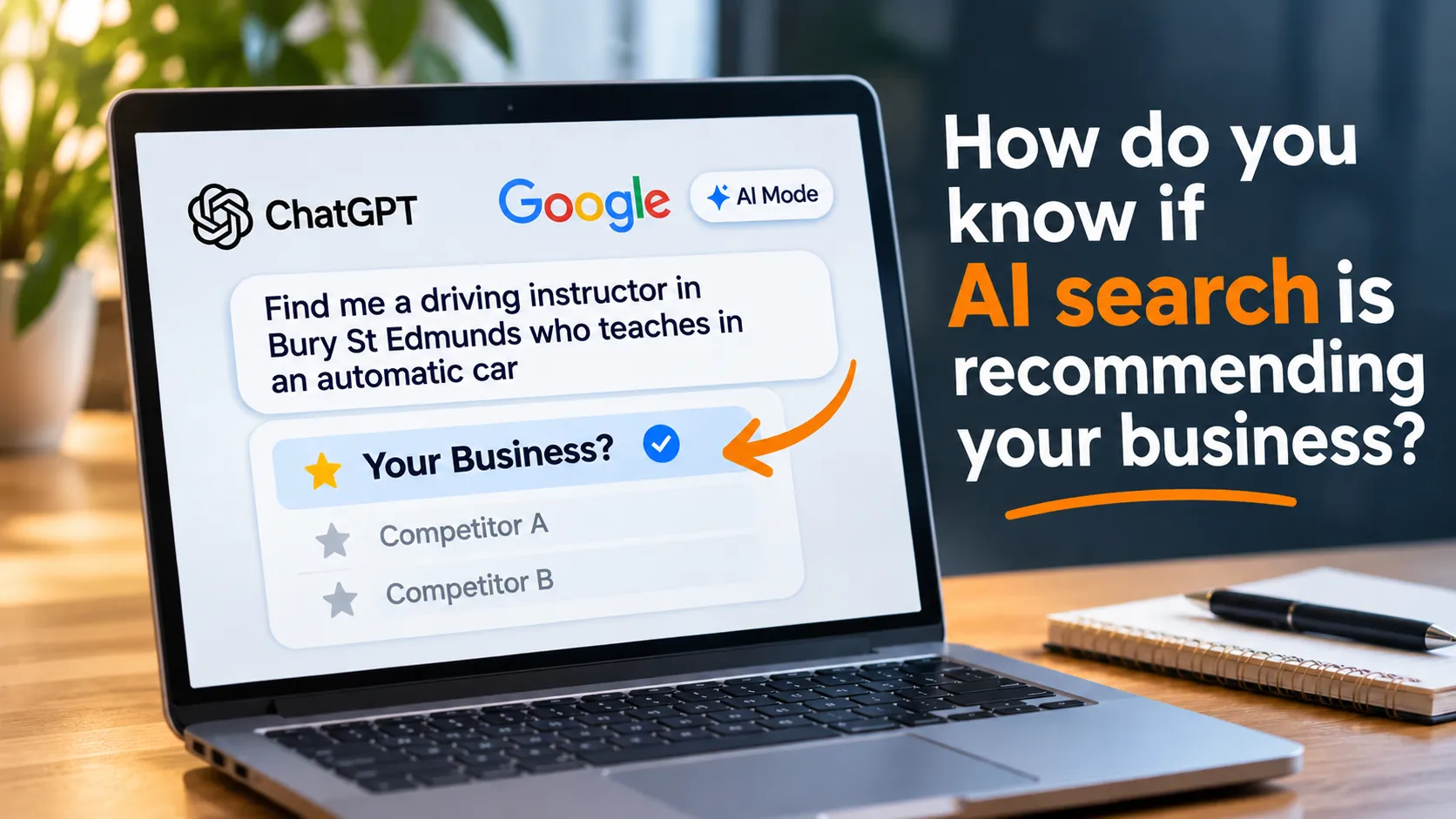
More people are using AI tools to find businesses, compare services and ask for recommendations. Instead of searching for something like “driving instructor Bury St Edmunds”, they might ask:
“Can you recommend a driving instructor in Bury St Edmunds who teaches in an automatic car?”
That’s a much more specific question, and the AI tool might recommend businesses that wouldn’t necessarily appear at the top of a traditional Google search for “driving instructor Bury St Edmunds”.
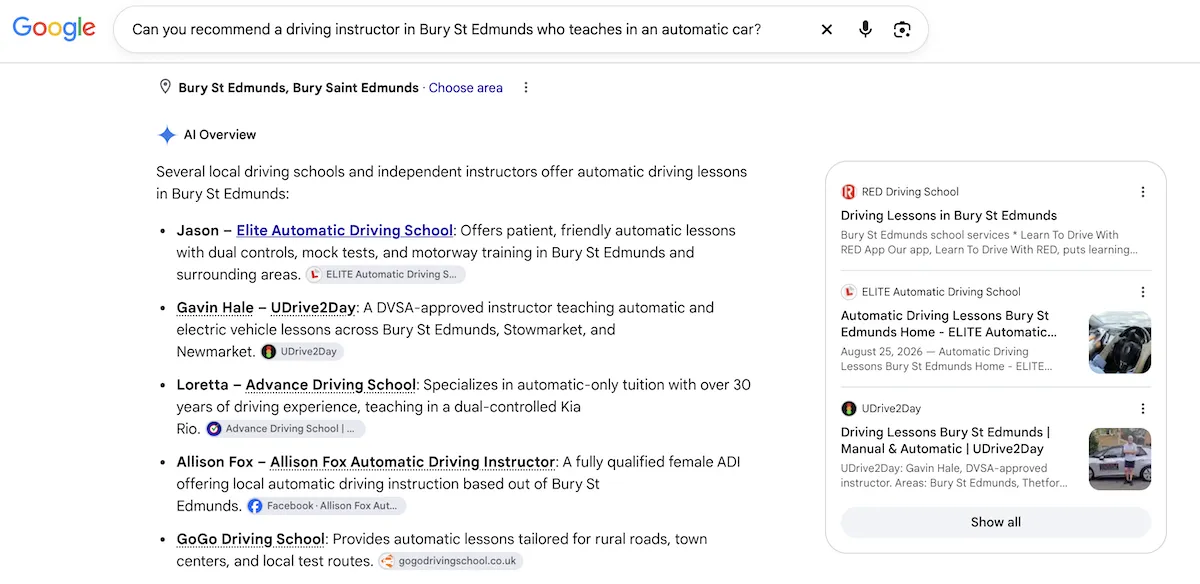
It turns out that the top result is a website I designed!
Here are a few quick and easy things you can do to find out if your business is appearing in these recommendations:
1. Ask ChatGPT to find businesses like yours
Open ChatGPT and ask it to find/recommend businesses offering your services in your area.
For example, if you’re a plumber in Bury St Edmunds, you could enter in the chat box:
- Find me a reliable plumber in Bury St Edmunds
- Who installs new bathrooms in Suffolk?
- Find a plumber near Bury St Edmunds who works on older properties
Try to think about the questions a potential customer might ask rather than searching for your business name.
Top tip: Don’t tell ChatGPT the name of your business or ask it to recommend you specifically. You want to see if your business appears when someone who doesn’t already know you asks for recommendations!
If you’ve used ChatGPT to discuss your own business before, use a temporary chat to reduce the influence of previous conversations. In a new chat in ChatGPT, click the little speech bubble icon at the top right of the screen and then click ‘Unpersonalized’.
2. Try the same questions in Google
Google now includes AI-generated answers in some search results, and you can also use its AI Mode to ask more detailed questions.
It’s a good idea to open an incognito browser window to do this, so the answers aren’t influenced by what you have searched for before.
Try asking the same questions you used in ChatGPT.
Look at the businesses mentioned and the websites linked in the answers. Does your business appear or are your competitors being recommended instead?
You might find that your business appears for one question but not another, even though they’re asking for similar services. This doesn’t mean there’s something wrong with your website. AI results can be different, depending on the wording of the question, the user’s location and other factors.
Top tip: Change one part of your question at a time. For example, try asking for a business in your town, then your county, or add a specific service you offer. This can help you find out which searches your business is being recommended for.
3. Check which websites AI is using for information
If your business appears in an AI answer, that’s great, but it’s worth checking what info the tool is using.
Does it link to your website? Is it describing your services correctly? Has it mentioned something that you no longer offer?
If your business doesn’t appear, look at the websites it DOES recommend.
What info do those websites have that yours doesn’t?
Perhaps they have more detailed service pages, customer reviews, examples of completed work or answers to questions that potential customers regularly ask.
You don’t need to copy your competitors. Just look for useful info that might be missing from your own website.
Top tip: Ask the AI tool why it recommended a particular business, but don’t assume its explanation is accurate. Check the sources it provides and look at the actual website content yourself.
4. Check Google Search Console
If you have access to Google Search Console for your website, you can also check how often your website is appearing in Google’s AI search features.
Google now has a Generative AI performance report for most websites, showing impressions for websites appearing in AI Overviews and AI Mode.
An impression means a link to your website has been shown in one of these features. It doesn’t mean someone has clicked through or that Google has recommended your business by name.
The report can show which pages are appearing and how visibility changes over time.
Top tip: Look at the pages receiving AI search impressions. If certain service pages are performing well, look at what makes them useful and how you could improve other pages on your website.
5. Keep a record and check again
One search isn’t enough to tell you how visible your business is in AI search.
Enter five or ten questions that potential customers might ask and record the results.
Repeat the same checks every month or so.
Over time, this can give you a better idea of where your business is appearing and where there might be opportunities to improve your website.
Top tip: Include questions about the specific things that make your business different. If you offer specialist services, specific qualifications, training or support that your competitors don’t, check if AI tools recognise these differences.
What if your business isn’t being recommended?
Don’t panic. AI recommendations aren’t fixed rankings, and there’s no guarantee that a business appearing today will appear tomorrow.
However, there are some useful things you can check:
- Does your website clearly explain what your business does and where you work?
- Do you have individual pages explaining your main services?
- Does your website answer the questions customers are likely to ask?
- Have you included examples of your work, customer reviews and information about your experience?
- Is your Google Business Profile accurate and up to date?
- Can search engines and AI search tools access the important content on your website?
You don’t need to rewrite your entire website for AI. Much of what helps AI tools understand your business is also good practice for traditional SEO and, more importantly, useful for potential customers.
It’s something I’m working on for Belluber too
I’ve been testing AI searches for Belluber to see which questions lead to my business being recommended.
I’ve found that changing the wording of a question can make a difference. For example, mentioning WordPress, website training or a particular location can show different results.
It’s one of the reasons I’ve been improving the content on my website, including my service pages and FAQs, so that it’s clearer what I offer and who I work with.
AI search is still changing, so it’s worth checking your visibility regularly rather than treating it as something you can optimise once and forget about.
If you’d like help checking how your business appears in ChatGPT and Google’s AI search results, get in touch. I can review your website, identify info that might be missing and suggest practical improvements to help potential customers find your business.
If you find my articles useful, add Belluber as a preferred source on Google to see more of my website and marketing advice in Google Search.
continue reading