Not sure what something means?
View the Glossary →
Your website could look perfectly fine and might even be bringing in some enquiries, but when did you last really look at it from a potential customer’s point of view?
Businesses, services and customers change. Google also changes, as well as the way people find information online, like with the growth of AI search.
A website that worked well five or ten years ago might not represent the business you have today. I know this from experience – I’ve recently redesigned my own Belluber website for exactly that reason.
Here are 15 things I’d check:
1. Can people immediately tell what you do?
Don’t make visitors work it out. Someone arriving on your homepage should be able to quickly understand:
- what you do
- who you help
- where you work, if location is relevant
- what they should do next
Clever headlines are fine, but not if they’re so clever that nobody knows what you actually sell – keep things clear.
2. Does the website still reflect your business today?
This is a big one – and one of the main reasons I redesigned my own website. Compare what your website says with the business you actually run now. Are there any services that you’ve added or stopped offering? Are you targeting different types of clients? Have your prices, processes or priorities changed? Have you developed skills that aren’t mentioned anywhere?
3. Does it explain why someone should choose you?
Bear in mind that a potential customer has opened your website and three competitors’ websites in separate tabs. Why should they choose you?
Try to avoid vague claims such as great customer service, high quality and professional service. Most businesses could say those things.
Look for specific reasons.
I for example, talk about things such as my 25+ years’ experience, responding to clients the same day and giving website clients full control of their websites. Those are tangible differences.
4. Are your services easy to find and understand?
Don’t assume people already understand exactly what you do. Each important service should have its own page explaining:
- what the service is
- who it’s for
- the problem it helps solve
- what’s included
- what happens next
This is obviously useful for potential customers, but it also gives search engines and AI tools much more information about your business and what you offer.
5. Is there an obvious next step?
What do you actually want somebody to do after reading a page? Perhaps you want people to call you. Or send an enquiry, book a meeting, request a quote or download something?
Don’t make them hunt around for the next step.
Also, you don’t have to use Contact us everywhere. A more specific call to action such as Arrange a chat, Ask for a quote or See how I can help can be more natural.
6. Does your website work properly on a phone?
Having a responsive website isn’t quite the same as having a website that looks fine on a mobile.
Actually use it on your phone and check whether:
- text is easy to read
- buttons are easy to tap
- menus work properly
- forms aren’t awkward to complete
- images aren’t taking over the screen
- important information appears in a sensible order
- nothing overlaps or disappears
Don’t just shrink your browser window on your computer – pick up your phone and use the website as a customer would.
7. Is it fast enough?
People aren’t very patient online. Large images, unnecessary scripts, poorly configured hosting and bloated plugins can all slow a website down.
Google’s PageSpeed Insights can show potential problems, although don’t become obsessed with achieving a perfect score. What matters more is whether the site feels quick and usable for real visitors.
Pay attention to mobile performance as well as desktop.
8. Does your content answer the questions customers actually ask?
Think about the questions you repeatedly answer in emails, phone calls and meetings. Those are often exactly the things your website should answer.
FAQs can be useful for:
- explaining how your service works
- overcoming concerns
- setting expectations
- explaining prices or timescales
- answering common objections
They also provide useful, specific information that search engines and AI systems can understand. I’ve added more FAQs to my new website for this reason.
9. Have you got enough proof?
You know you’re good at what you do, but a new visitor doesn’t.
Look for opportunities to include:
- customer reviews
- testimonials
- case studies
- examples of your work
- results
- qualifications or accreditations
- client logos where appropriate
Specific proof is much more convincing than telling people you’re brilliant.
10. Can Google understand what each page is about?
SEO isn’t about stuffing keywords into every available space. Each important page should have a clear subject and use the sort of language your potential customers are likely to search for.
Check your:
- page title
- main heading
- subheadings
- page copy
- image alt text where appropriate (in the code)
- meta description (in the code)
- internal links
Also see: How to improve your visibility in Google search results
11. Is your website useful for AI search as well as Google?
People are now asking tools such as ChatGPT and Google’s AI-powered search questions they might previously have typed into a traditional search engine.
That doesn’t mean abandoning SEO – many of the same principles still apply: create useful, original content; clearly explain what you do; demonstrate expertise; answer specific questions; and keep your website technically accessible.
Good FAQs, detailed service pages, case studies and genuinely useful articles can all help provide the sort of information AI systems need to understand your business.
12. Are your pages linked together properly?
Internal links help visitors discover relevant information and help search engines understand how your content fits together.
For example, in my case a blog article about improving a website could naturally link to my website design service, a case study or project in your portfolio could link to the service used and a FAQ might point somebody towards a more detailed article.
Don’t add links just for SEO though, add them where they genuinely help the reader take the next step.
13. Are all your forms, buttons and contact details working?
This sounds obvious, but it’s easy for problems to go unnoticed. Send yourself a test enquiry, click your buttons, check telephone numbers and email addresses and look for broken links.
If you have online bookings, downloads, newsletter sign-ups or other interactive features, test those too.
14. Is the website being maintained?
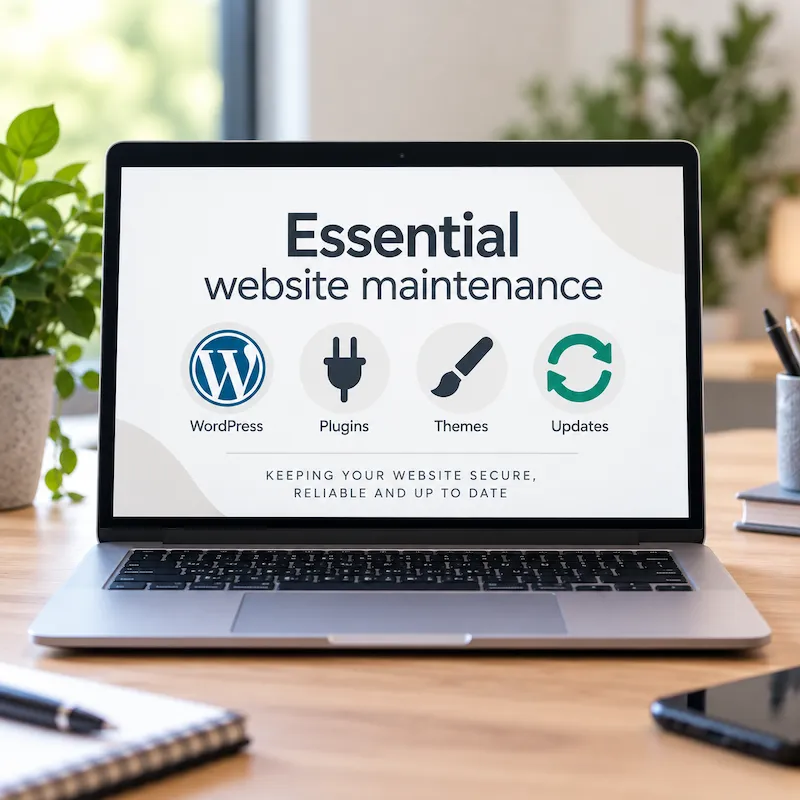
WordPress itself, your theme and plugins are regularly updated for security, compatibility and functionality.
Leaving them untouched for long periods can increase the risk of security vulnerabilities, compatibility problems and parts of the website no longer working correctly.
Maintenance should include regular backups, software updates and checks that everything still works afterwards.
See more about that here: Why website maintenance matters (not just new content)
Your website isn’t really a build it once and forget about it piece of marketing.
15. Do you know whether it’s actually working?
Finally, look at the data. Google Analytics and Google Search Console can help you understand things such as:
- how people are finding you
- which pages they’re visiting
- which search terms are generating visibility
- whether traffic is growing or falling
- which content is attracting visitors
But don’t judge a website purely by traffic. If 100 relevant visitors generate five good enquiries, that may be much more valuable than 1,000 visitors who aren’t potential customers.
Your website doesn’t necessarily need replacing
If you’ve gone through this list and spotted quite a few problems, don’t immediately assume you need a completely new website.
Sometimes you do, but sometimes improving the structure, rewriting key pages, adding missing content, improving calls to action and tidying up the design can make a big enough difference without starting again. That’s one of the reasons I recommend reviewing a website based on what the business needs now rather than automatically assuming a redesign is the answer.
I can review your website from a design, content, SEO (so it appears higher in search engines, including ai search results) and from a marketing point of view; then give you practical recommendations on what I’d change – including what I wouldn’t change if it’s already working well.
If you find my articles useful, add Belluber as a preferred source on Google to see more of my website and marketing advice in Google Search.
continue reading